MACS Matchmaker
Lino Biotech Support is the first contact for every question about the MACS Matchmaker. This includes instrument faults, software errors, data analysis, chips and reagents, service and repair, and missing documents.
How to Reach Support
Write to lino Biotech Support at support@lino-biotech.com. The details listed under What to Include let support start on the problem without first asking for them.
Before You Write
When the software shows an error, follow the instruction in the message first: most messages name what to check for that failure. The Troubleshooting table lists common symptoms with their causes and solutions, and Reading the Status Light explains what the instrument light reports. If the problem remains, contact support.
What to Include
- The instrument serial number and the software and firmware versions, as described under Serial Number and Software Version.
- What you were doing: the experiment and measurement name, and when the problem appeared.
- The exact text of the error message, or a screenshot of it.
- The steps you have already tried, including any from the Troubleshooting table.
- The device logs, as described under Device Logs.
- For a data-analysis question: the project and evaluation name, and a screenshot of the result in question.
Serial Number and Software Version
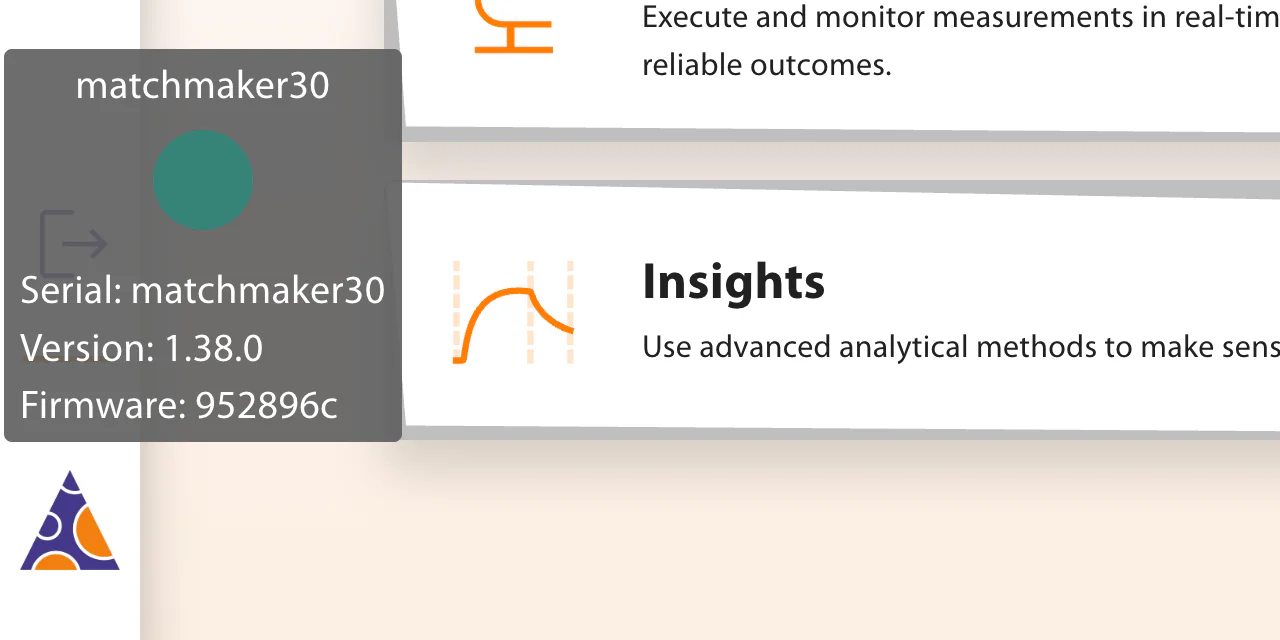
Hover over the logo at the bottom of the side menu. A tooltip shows the instrument serial number, the software version and the firmware version. When the user interface, Hub and Reader run different software versions, the tooltip lists each of them. Copy every line of the tooltip into your email.
Device Logs
Error notifications, and the page shown when a measurement ends with an error, offer Go to device logs. The Logs page shows the latest 1000 entries from Hub and Reader. Select Download all logs as zip and attach the file to your email. Warnings and errors on the Logs page do not necessarily indicate a problem with the instrument.
Service and Repair
Keep the enclosure closed and leave repairs to the service personnel. Report the fault to lino Biotech Support. Installation, servicing and repair are carried out by Miltenyi Biotec certified service personnel, and support arranges the service visit.
Support also supplies missing instrument documents, such as a declaration of conformity or the installation requirements. See Documents Supplied With the Instrument.